Agent or Prompt? The 5 Levels
As promised: the 5 levels from prompt to agent with real examples, the 3-question agent test, and how Claude made my whole carousel from one sentence.
PDFUpdated: October 26, 2026
What’s inside?
- The 5 levels: Prompt, Project, Skill, Tools, Agent
- A real example of each, from my week
- The 3-question agent test (save it)
- Prompt vs goal: how to brief an agent
- Plot twist: how this carousel was made
Your resource is ready
Download PDFRead it here
Everything in the PDF, right on this page.
Everyone has an “agent” now
Most of them still wait for you to press send.
Every week a new tool launches with “AI agent” on the box. Some are. Most are a prompt with a job title.
The difference isn’t how clever it sounds. It’s who decides the next step. If that’s still you, it’s not an agent yet.
So I broke it into 5 levels. Each one adds one thing. Only the last one finishes the job without you.
Levels 1–4
You decide what happens next.
Level 5
It decides, does, checks and keeps going.
Job titles are free. 😌
Prompt, then Project
Both useful. Neither is an agent.
- 01Level 1 · Prompt: you ask, it answers. I type “Write my TikTok caption. Make me sound less tired.” Claude gives me one with more energy. Then I copy, paste, post and fix it. I still press post.
- 02Level 2 · Project: your prompt, saved. My “Seda Works content helper” has instructions (“Sound like me. No cringe. No corporate words.”) and files (my tone of voice, my content ideas). Claude reads them in every chat, so I never explain myself twice. But it still waits for me to type.
← still waiting
Skill: a recipe it grabs by itself
It knows HOW, not just what.
A Skill is a folder: a SKILL.md file with the steps, plus anything that helps, like templates, fonts or scripts. You don’t attach it. When a job matches, Claude opens it by itself and follows the same steps every time.
SKILL.mdthe steps and my brand rulesbrand-fonts/so every slide looks like metemplate.htmlthe slide layout
Claude replies “Reading seda-carousel/SKILL.md” and gets to work, the same way every time.
Same steps every time.
Tools: now it can do things
Web search, calendar, Gmail, Drive.
Claude searched the web and came back: “Found 3. Want me to shortlist the best one?”
That’s real work, not just writing. Then it handed the job back to me. Shortlist, book, add to my calendar: I still decide every next step.
↑ so close.
Agent: you give a goal. It finishes the job.
It plans, uses the tools, checks its own work and keeps going. You come back to a result, not a question.
- 01Transcribed my voice.
- 02Wrote the subtitles.
- 03Burned them into the video.
- 04Checked the frames, found a typo, fixed it. That’s the loop. Nobody told it to check.
- 05Delivered
reel-final.mp4. - 06Stopped and asked me before posting.
Claude Code
The agent I use. It works on the files on my computer. Paid plans.
Claude Cowork
Claude Code’s agent powers for everyday work beyond coding. Paid plans.
Good agents ask before anything public.
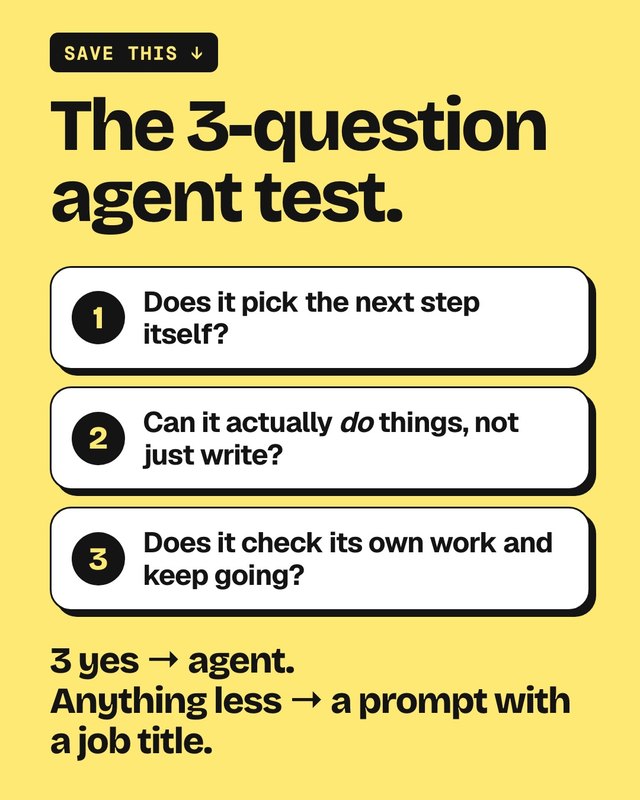
The 3-question agent test
Run it on any tool that calls itself an agent.
- 01Does it pick the next step itself?
- 02Can it actually do things, not just write?
- 03Does it check its own work and keep going?
3 yes → agent. Anything less → a prompt with a job title.
 save me
Prompt vs goal
An agent needs the finish line, not the next step.
Prompt
“Write subtitles for this text.”
Goal
“Add subtitles to my reel, check them and give me the final file.”
My reel is reel.mp4 in this folder. Goal: add burned-in subtitles in a clean, readable style. Transcribe my voice, write the subtitles, burn them in, then check the frames and fix any mistakes before you show me. Save it as reel-final.mp4 next to the original and don’t change or delete the original. Ask me before installing anything.
Try it on a copy first.
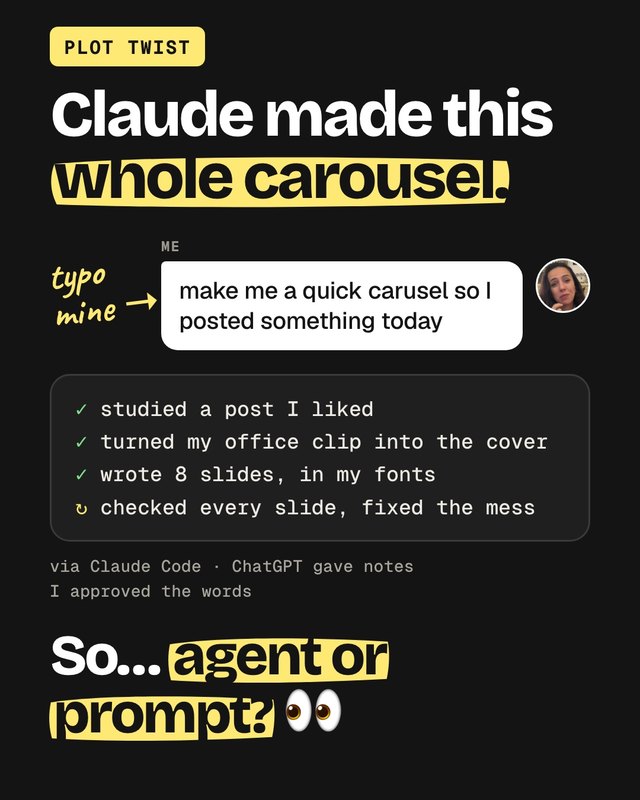
Claude made this whole carousel
From one sentence. With a typo.
- 01Studied a post I liked.
- 02Turned my office clip into the cover.
- 03Wrote 8 slides, in my fonts.
- 04Checked every slide and fixed the mess.
 the twist
So I ran my own test on it. Picked the next steps itself? Yes. Actually made the files? Yes. Checked its own work? Yes. 3 yes. Agent. 😅
I still approved every word.
Agent or prompt?
Now you know the difference.
Run the test on your favourite AI tool and tell me its score 👀
- Building effective AI agents (Anthropic)
- What are projects? (Claude Help Center)
- What are skills? (Claude Help Center)
- Enable and use web search (Claude Help Center)
- Use Google Workspace connectors (Claude Help Center)
- Claude Code overview (Claude Code Docs)
- Get started with Claude Cowork (Claude Help Center)
You might also like
Never miss a new resource
I share a new tool or setting every week.