One Camera, Five Angles: The AI Trick
As promised: the full recipe behind my one-camera video: how Claude planned the shots, the Google Flow settings, the prompt, what it costs and what went wrong.
PDFUpdated: October 19, 2026
What’s inside?
- What you need and what it costs
- How Claude finds the beats and writes the prompts
- My exact Google Flow settings
- The prompt recipe and a timed shot list
- What worked, what broke, and the AI label
Your resource is ready
Download PDFRead it here
Everything in the PDF, right on this page.
One clip in, a multi-cam edit out
You film one angle. AI fakes the other cameras.
I filmed one 9:16 clip on my phone. One camera facing me, one angle, about 35 seconds of me talking.
Claude transcribed it, found the natural pauses and wrote every prompt. Gemini Omni in Google Flow made the new angles: a 45° side, a high angle, a left profile and a close-up. Then I cut them together with my real voice. Prompts written by me: 0.
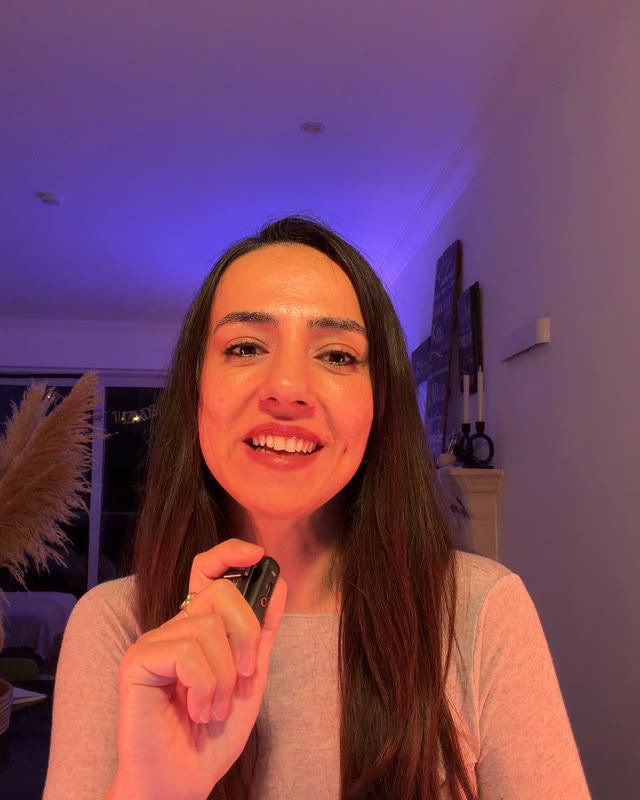 Real camera
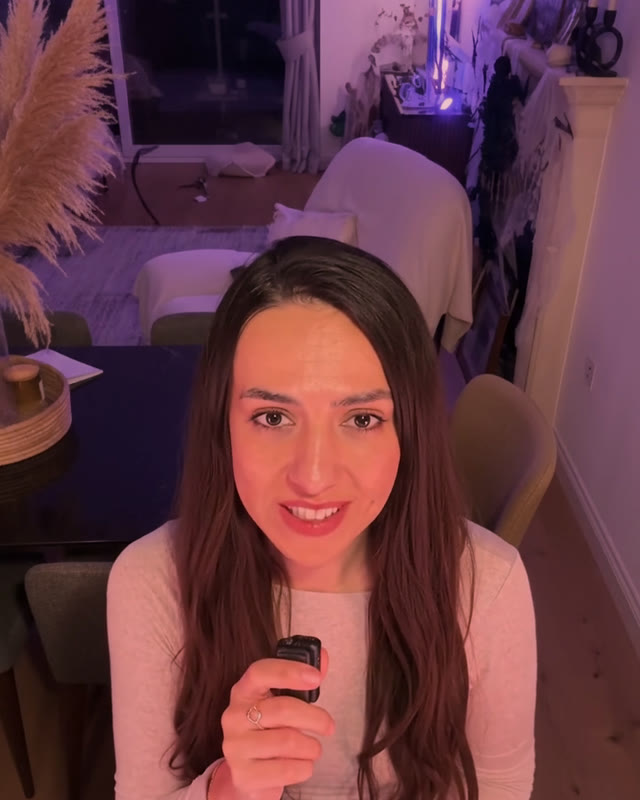 AI angle
Time
An afternoon, mostly waiting and re-timing shots.
What I spent
About 80 Flow credits, tests included. One failed run was refunded.
No extra cameras were harmed
What you need
A phone
Any phone that films 9:16 video. Tripod or a stack of books.
Flow access & credits
Google's credits page says everyone gets 50 Flow credits a day, with or without a subscription (they don't roll over). Paid plans add a monthly pool: Plus 200, Pro 1,000, Ultra 10,000 or 25,000. Google's Get started page still lists a paid plan, and at peak times video can need one, so check your own account.
Published costs
Gemini Omni Flash, per generation (Google's credits page): 720p 4 s 7, 6 s 10, 8 s 12, 10 s 15. Editing an uploaded video: 40. The cost depends on the model, the type of generation and your plan.
Claude Pro or Max
Claude Code (what I used) comes with the paid Pro and Max plans, not the free one. Check claude.com/pricing for today's price.
No Claude Code?
The normal Claude chat doesn't take video files right now. Export a transcript with timestamps instead (auto captions in your editing app) and paste that in.
Plans and prices change. Check before paying.
Film the clip
Boring framing on purpose. The AI does the drama.
- 01One angle, 9:16 Phone on a tripod, front-facing, you talking to camera. Mine was about 35 seconds.
- 02Talk in clear sentences Small pauses between sentences make the cut points later. Rambling makes life hard.
- 03Optional: 3 reference photos Not required. Same spot, same light: your left side, your right side and one from above. They help the AI keep your face and room consistent.
- 04Check the mirror Only if you took photos: if you filmed with the selfie camera and it mirrors the image, flip them so the room matches the clip.
Let Claude plan the shots
I used Claude Code, in the Code tab of the Claude desktop app.
- 01Transcribe Claude Code ran Whisper, a free transcription tool, locally on my Mac. Every word, with timings.
- 02Find the beats It found the pauses between sentences. Those are your cut points.
- 03Cut the chunks Omni only accepts uploaded video of 10 seconds or less. So cut your clip into 4, 6, 8 or 10 second chunks, always at a sentence break.
- 04Write the prompts Claude wrote one Gemini prompt per chunk with a timed shot list. I just read and approved.
It may ask to install things. Read first.
Set up Google Flow
flow.google.com. These are the exact settings I used.
- 01New project Upload your chunk (plus the reference photos, if you took them).
- 02Agent off Turn the Agent chip OFF so Flow uses your prompt exactly as written.
- 03Settings Video, Ingredients, Omni 1.1 Flash,
9:16,720p,x1. - 04Attach in order Clip first, then any photos, in the same order your prompt mentions them.
- 05Paste as one paragraph No line breaks. Enter can submit before you're done.
- 06Check the cost, then pilot The cost only shows after the clip is attached, and that's the number to trust. Flow showed me 20 credits per 8–10 s clip at 720p x1 and 40 for x2, not the published price. Generate ONE pilot before spending more.
Credits are taken when you generate, so check the number before every run.
The prompt recipe
A short version of what Claude wrote for me. Change the timings to your own beats.
Turn this one-camera video into a professional multi-camera edit. There is only one person in this video. Her face must look identical in every shot and her lips must match the original words exactly. Keep the room, lighting and original audio. Each shot is a steady tripod camera; every change of angle is an instant hard cut, no camera travel. No cameras, tripods or crew visible. Shot list: 0–1.2 s original front framing; at 1.2 s, 45 degrees to her right; at 2.5 s, high angle from above and in front; at 4.1 s, left profile; at 5.2 s, close-up.
What worked, what broke
Lessons from 4 generations, one refunded failure.
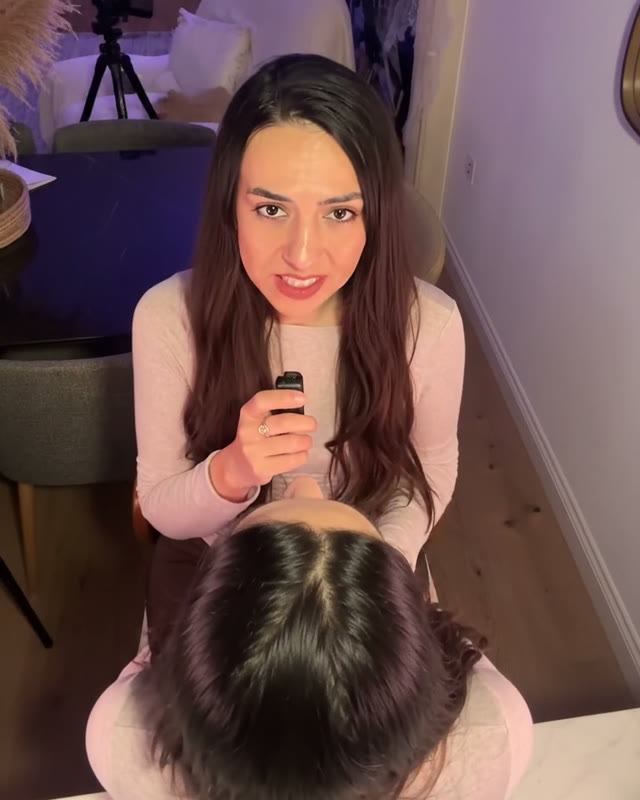 Exhibit A
Edit and post
- Keep your original audio under every shot.
- Hard cuts only, timed to your sentence breaks.
- Save the big reveal for the right moment. Mine showed all four angles in a grid stamped AI.
- Only use your own face, or get clear consent from anyone you put through this.
- Switch on the AI label: TikTok AI-generated content, Instagram AI info, YouTube Altered or synthetic content → Yes. Menu names move around, so look for them.
Your first message to Claude Code
Open the Code tab, point it at the folder with your clip, then send this.
Then pilot ONE chunk. Trust me.
One camera. Zero crew.
And nobody asked for a coffee break.
Which angle gave it away for you? Tell me in the comments 👀
- Get started with Google Flow (Google Flow Help)
- Manage your Google Flow credits (Google Flow Help)
- Google AI plans (Flow credits per plan)
- Learn about Google Flow models & supported features
- Edit videos & build scenes in Google Flow
- Create videos in Google Flow
- Using Claude Code with your Pro or Max plan
- Claude Code desktop docs (Code tab)
- Uploading files to Claude (supported file types)
You might also like
Never miss a new resource
I share a new tool or setting every week.